Import. Build. Publish.
Start blank, from a template, or import a Word doc, PowerPoint, or SCORM file. Add 16 block types: images, video, knowledge checks, flipcards, and more. Export to SCORM or HTML and upload to any LMS.
No signup, no credit card · see a real course first
Exports work with every SCORM-compliant LMS
See exactly what your learners will see.
We built a free course on how to create courses — inside CourseConverter. Every block, every interaction, every export option. The same experience your learners will get when you publish.
No demo video. No mockup. The actual product.
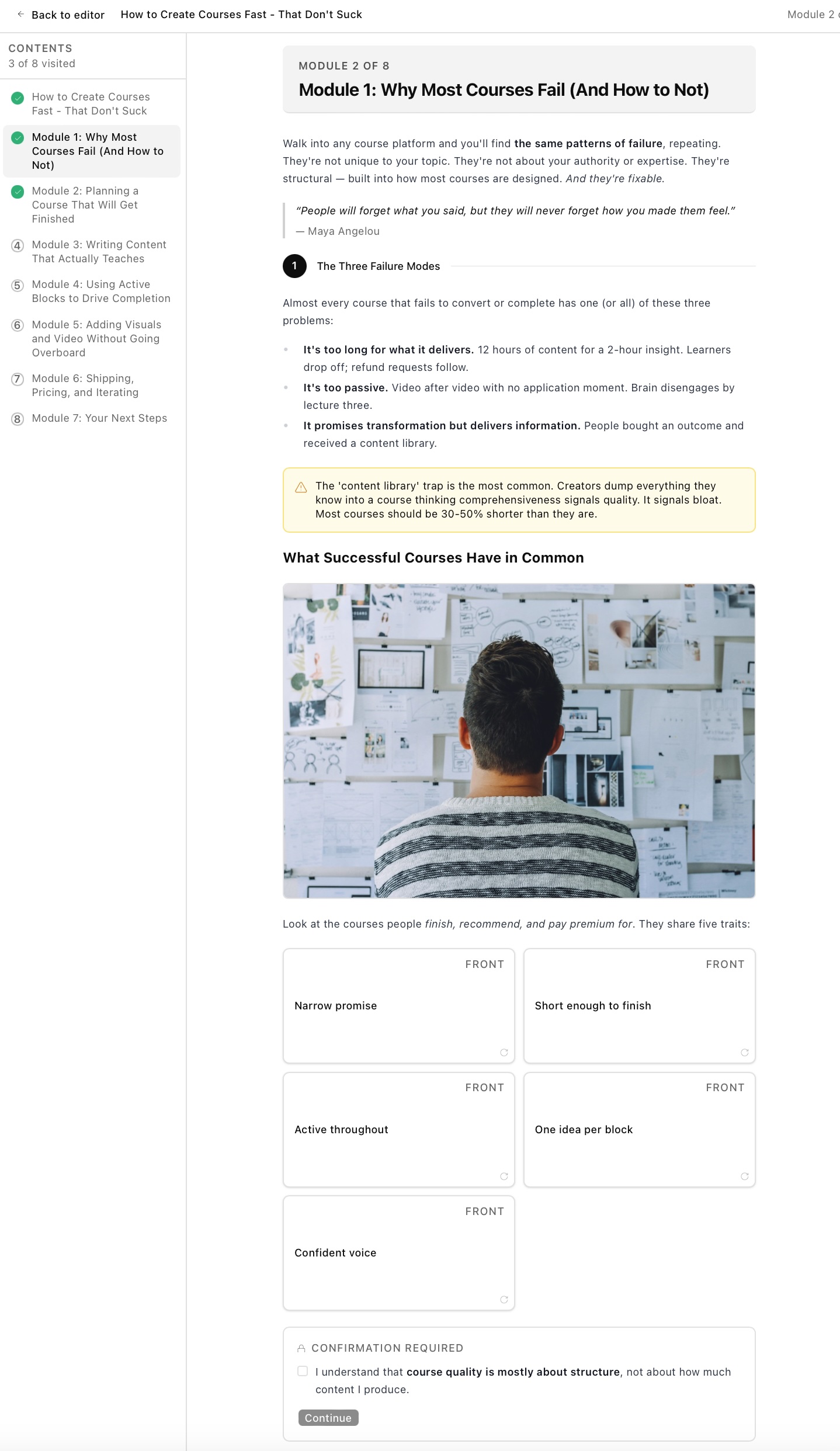
Courses built with CourseConverter.
Real courses, free to open, no signup. A better way to judge the tool than any feature list.

Cyber Security Awareness for Australian Workplaces
Nobody is trying to hack your firewall. They are trying to get you to click something, approve something, or pay something - because that is faster, cheaper and works more often.
11 modules

Zero to First Customers: A SaaS Launch Playbook
You built the thing. That was supposed to be the hard part. Then you shipped it, and the users did not come, and now you are refreshing an analytics dashboard that shows a flat line and telling yourself the product just needs one more feature. It does not. Almost nothing that is wrong at this stage
13 modules

Microsoft 365 Copilot: From Prompt to Productivity
Most people meet Copilot by accident. A button appears in an app they have used for years, they click it once, get an answer that is nearly right, and quietly go back to doing the job by hand. That is a fair response to a tool nobody explained. This course is the explanation.
13 modules

Learning & Development Portfolio
Show how you think, design and measure learning - not just what you have built. Case study structures, framework prompts and worked samples to replace with your own. For instructional designers, training managers, facilitators and L&D consultants building a portfolio or CV.
15 modules

Employee Onboarding
A ready-made new starter induction - day one, IT and MFA setup, Microsoft 365, safety, policies and the first 30 days. Customise the placeholders and publish. Covers workplace health and safety, cybersecurity, hybrid working, HR self-service and compliance training.
23 modules

One Percent Better
Most people who want to change something about their work or their health start the same way — set a bigger goal, wait for motivation. Then little happens, and they conclude they lack discipline.
15 modules

The Whole World With You
Almost everyone can name a colleague who is technically excellent and quietly stuck. The work is accurate, the deadlines are met, and yet the promotions and the interesting projects keep landing elsewhere. What separates them from their peers is rarely knowledge. It is the ability to get things done
15 modules

The Size of Your Thinking
Most professional development promises to make you better at something specific — a tool, a technique, a framework to add to your list. This course starts one level below that, with the private estimate you carry of what you are capable of, because that estimate decides which opportunities you reach
14 modules

AI Coding for Startups: Shipping at Founder Speed
This course is the practical playbook for using Claude Code, Cursor, and equivalent tools to ship real products at founder speed.
6 modules

From Service to Course: Productize Your Expertise
his course is the practical playbook for turning your expertise into a course that earns while you sleep, without abandoning your existing service business.
6 modules

How to Create Courses Fast - That Don't Suck
his is a free course about creating online courses. It's also written inside the product we'd love you to try — CourseConverter.
8 modules

Filming Video for Startups: Practical Production for Founders
This course is the practical playbook for founders and small teams who need to ship video without a production team.
6 modules
From idea to deployable course in three steps
No instructional-design degree required. If you can write a Word doc, you can build a course.
Start from anywhere
Pick from 15+ ready-made templates, import a Word document with rich formatting preserved, or start from a blank canvas. Whatever fits how you work.
Make it interactive
Add knowledge checks, flipcards, accordions, tabs, callouts, and compliance confirmations. Brand it with your logo, colours, and fonts.
Export anywhere
Download a SCORM 1.2 package for your LMS, or standalone HTML for any website or intranet. Media bundles offline. Done.
See CourseConverter in action
Press play to see how easy it is to build and edit courses.
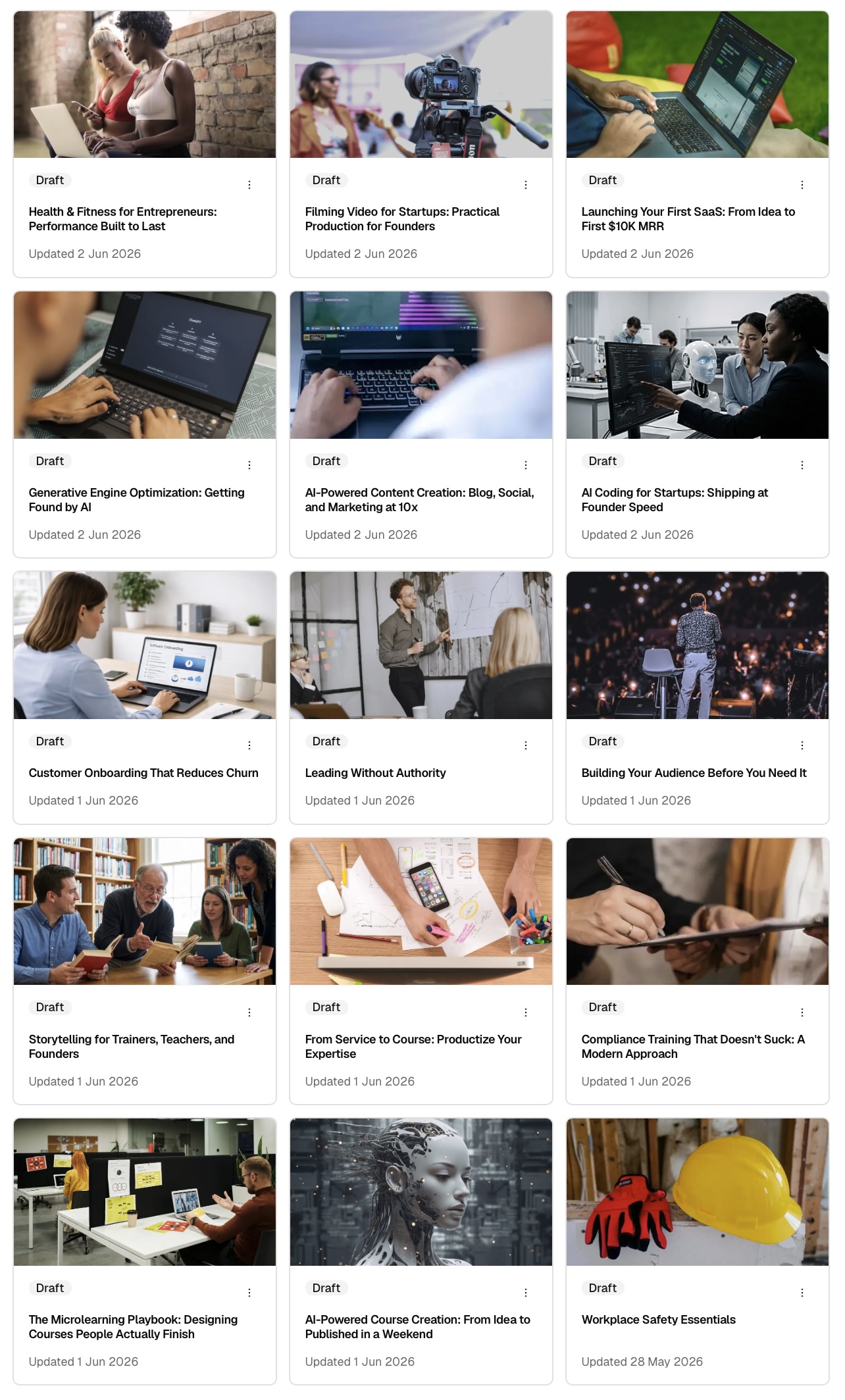
Skip the blank page.
We've built a library of 15+ professionally-designed course templates — from compliance training to SaaS launch playbooks to health and fitness for founders. Each one is fully editable.
- Workplace Safety Essentials, AI-Powered Course Creation, Compliance Training That Doesn't Suck
- Launching Your First SaaS, AI Coding for Startups, Filming Video for Startups
- Customer Onboarding That Reduces Churn, Building Your Audience, Leading Without Authority
- Plus 6 more — clone, edit, and ship in hours instead of weeks
Templates are a Pro feature. Clone, customise, and publish under your own brand.
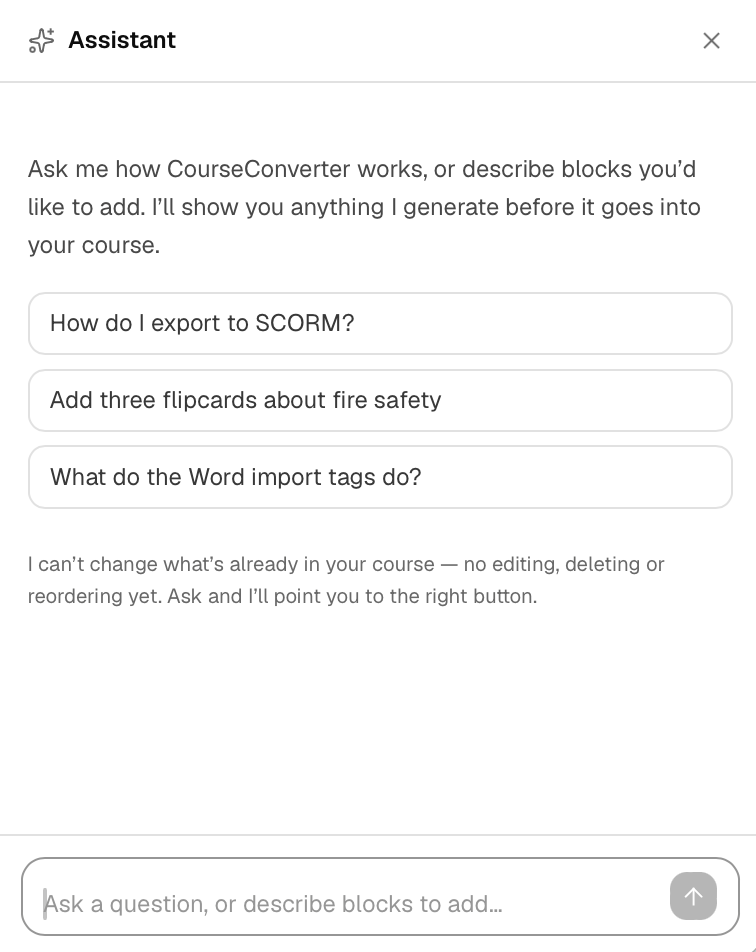
An assistant that knows the product.
Open the assistant in any course and just ask. It answers questions about CourseConverter from the help documentation — how to export SCORM, what the Word import tags do, how progression gating works — and links you to the right article.
Ask it to build something instead and it drafts the blocks, then shows you exactly what it made before anything goes near your course.
- Answers from the real help documentation, not guesswork
- Describe blocks in plain English — review before they're added
- Tells you honestly what it can't do, and where the button is
- Runs on your own AI provider key
Draft whole sections with AI.
Describe what you want — “four flipcards on filming techniques and a quiz to finish” — and AI drafts the blocks for you. Review every block before it's added. Nothing lands in your course until you approve it.
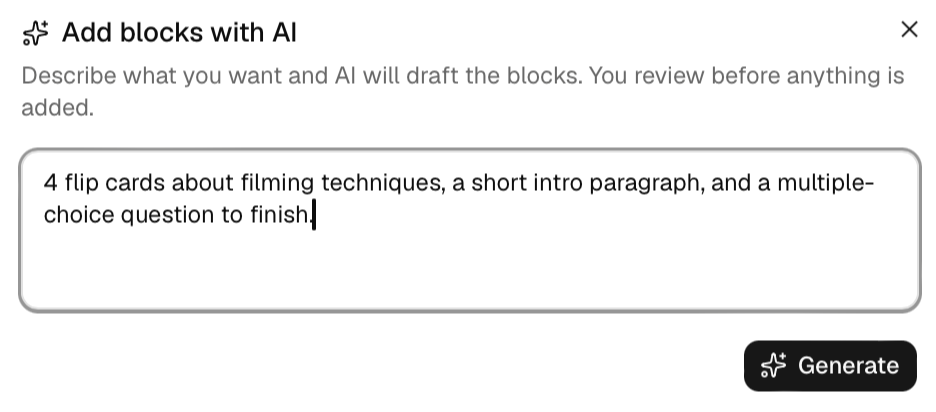
Describe it
Type what you want in plain English. Ask for specific block types, counts, and topics.
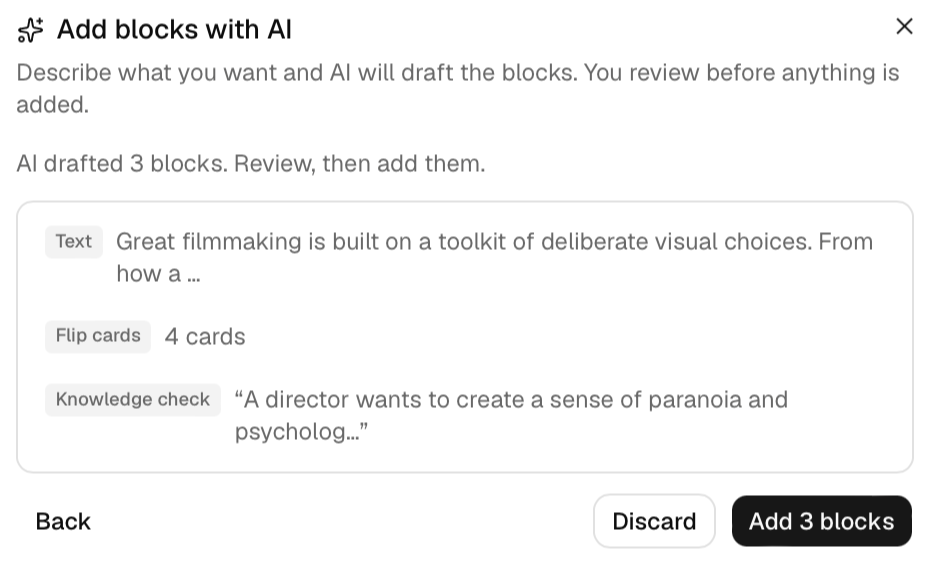
Review the draft
See exactly what AI generated — every flipcard, quiz, and paragraph — before anything is added.
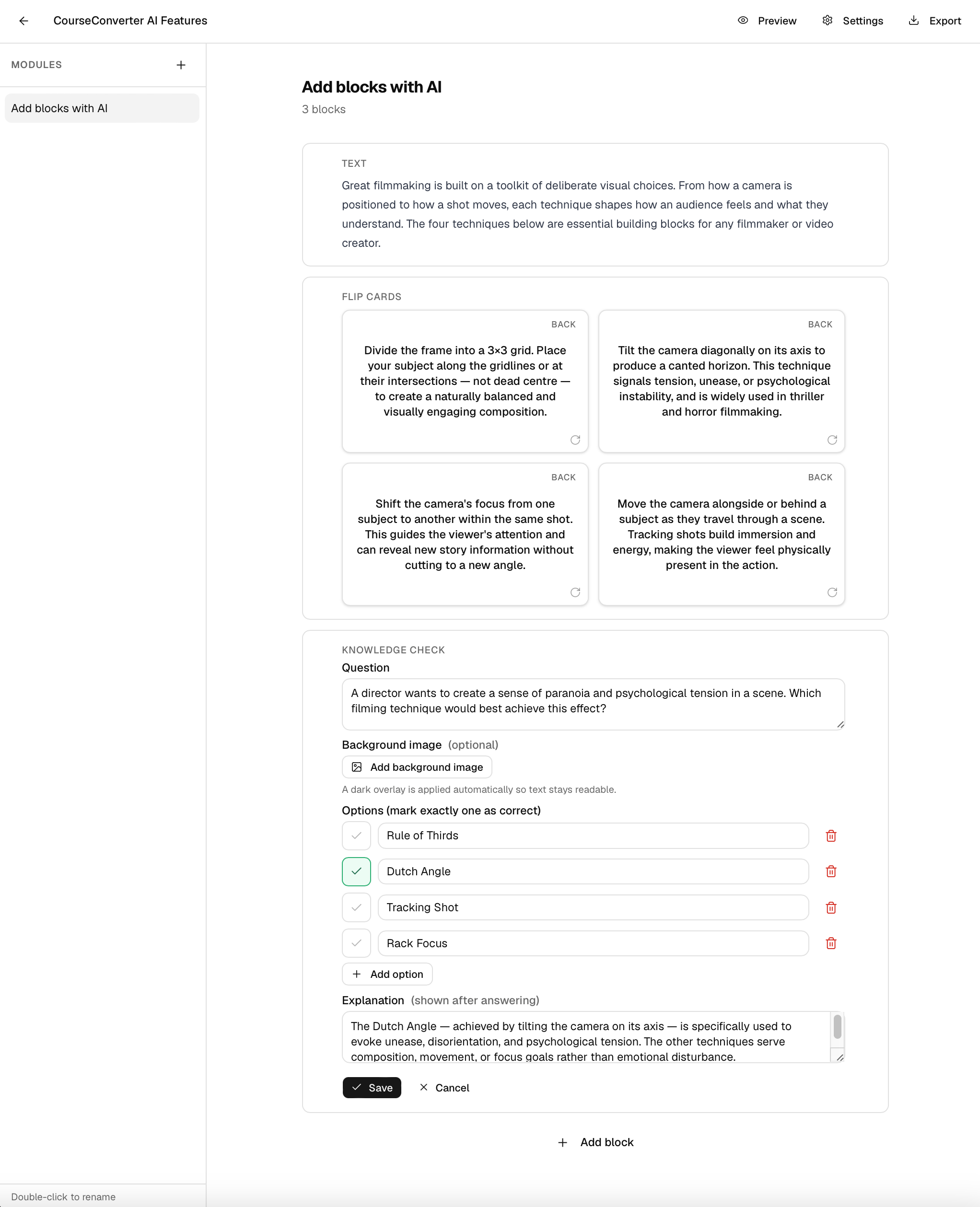
Add and edit
Approve and the blocks drop straight into your module, fully editable like any other block.
AI block generation is included with Pro. You add your own AI provider key, so generation runs on your account — you control the cost and your content stays yours. Your key is encrypted and never shared.
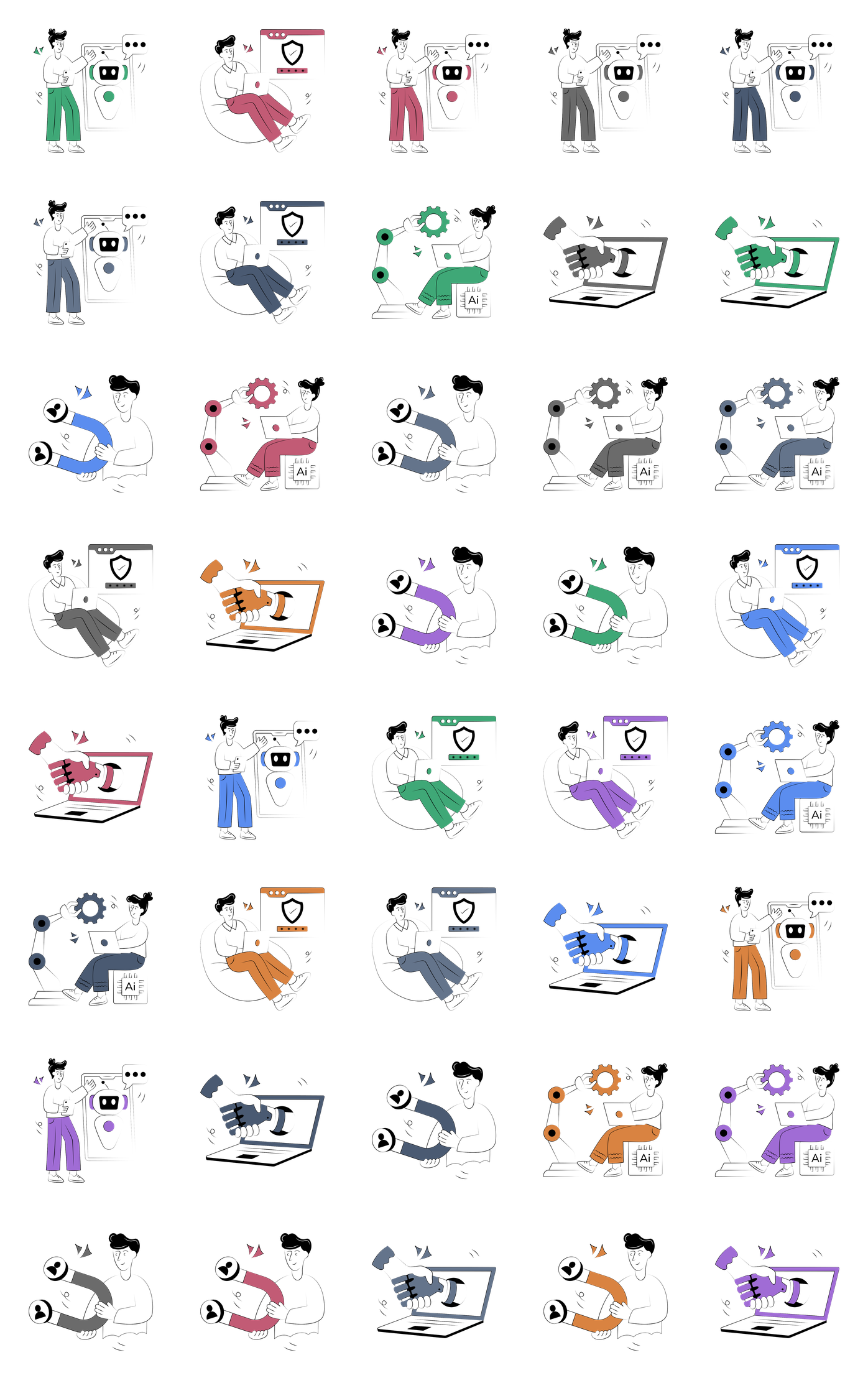
Hundreds of illustrated scenes, in every theme colour.
Every course gets a library of professional illustrations that automatically match your theme. Pick a scene, pick your colour, drop it in - no stock-photo hunting, no mismatched styles.
AI that does the tedious parts.
Two more ways AI speeds up course building — write assessment questions from your own content, and turn a process into a clean structured section. You review everything before it lands.
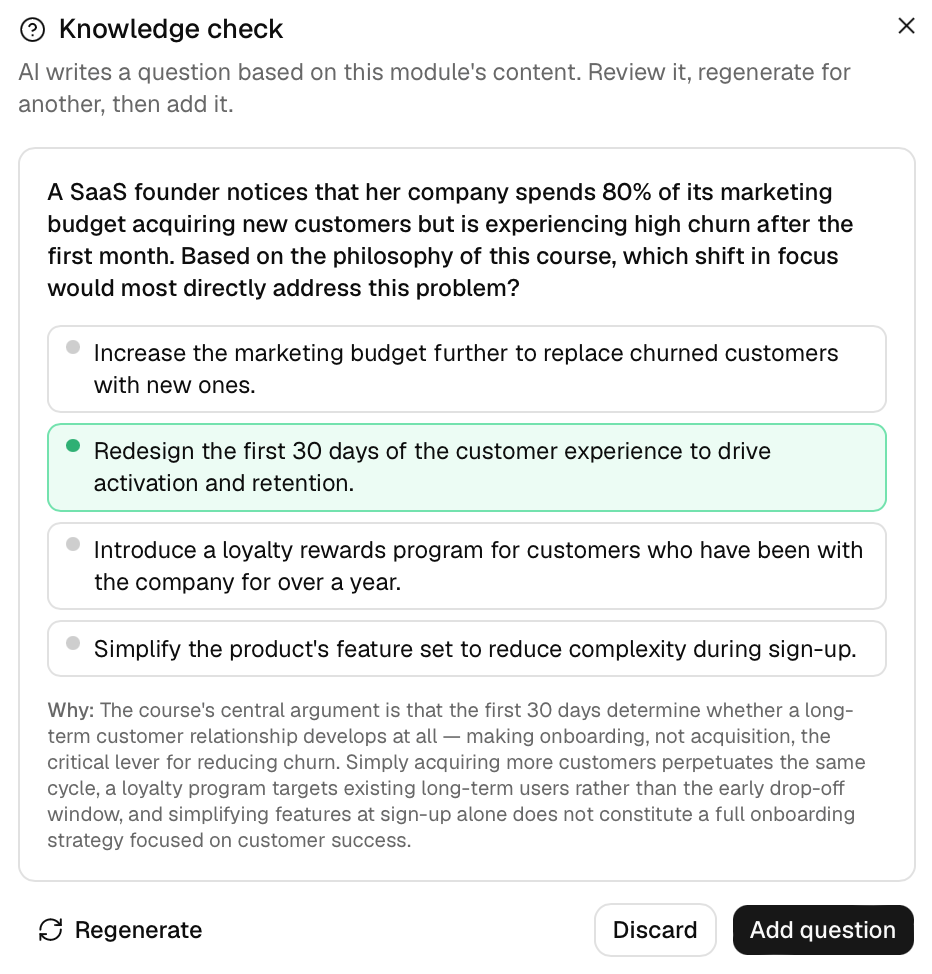
Quiz questions, written for you.
One click reads your module's content and drafts a relevant multiple-choice question — scenario-based, with the right answer and an explanation. Regenerate until it's right, then add it.
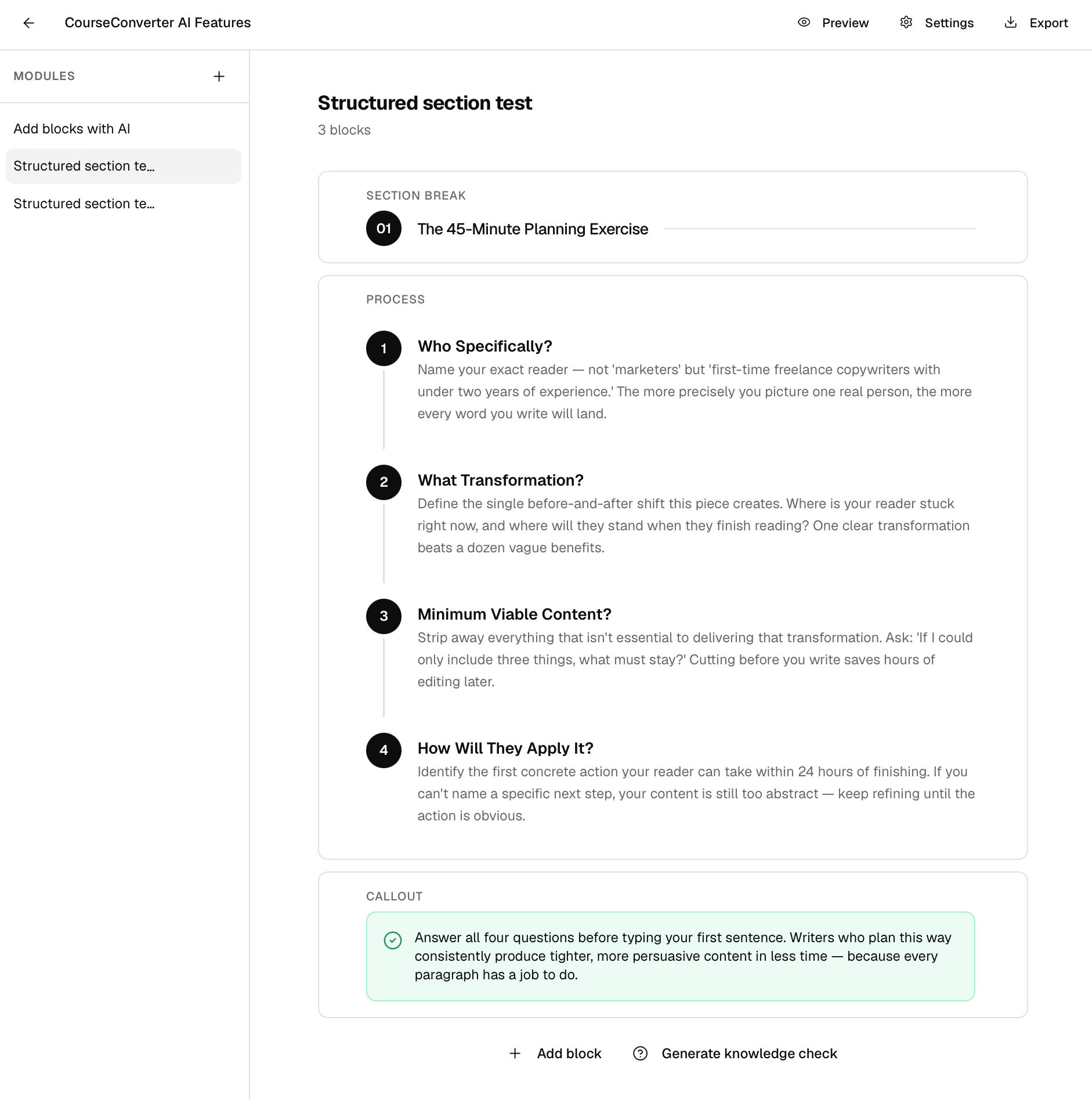
Turn a process into a clean sequence.
Describe a process, sequence, or set of stages — or a “what you'll learn” overview — and AI builds it as a numbered, structured section. Review, then drop it in.
Generate images that fit your course.
Describe what you need and AI generates it — illustrations, concept art, course covers, banners, diagrams, or photos. Each one picks up your course theme colour, and you review before it's added.
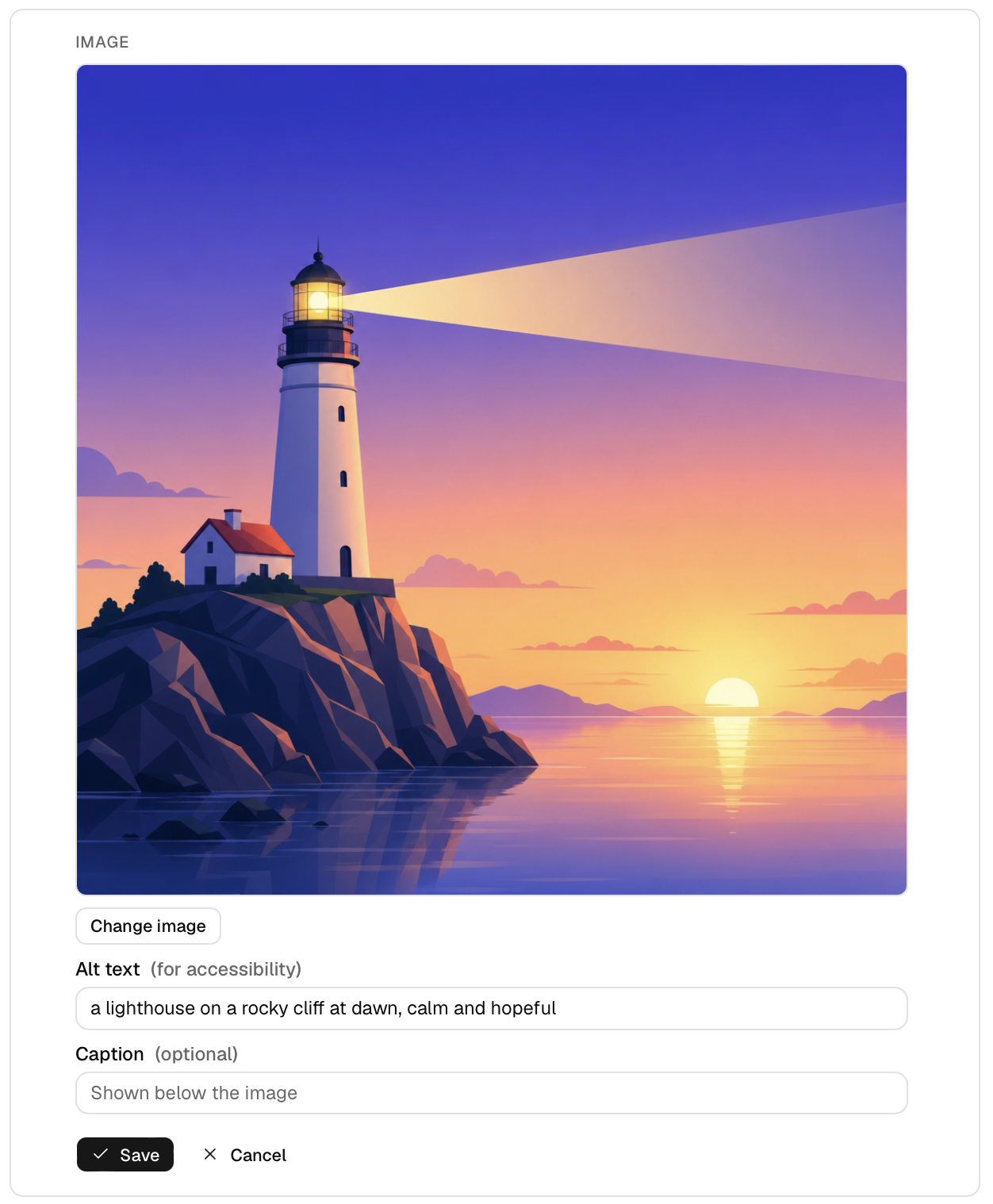
On-brand illustrations
Clean, flat vector-style art in your theme colour — no stock-photo hunting, no mismatched styles.

Realistic photos
Photographic scenes when you need them — people, workplaces, situations — generated to match your topic.
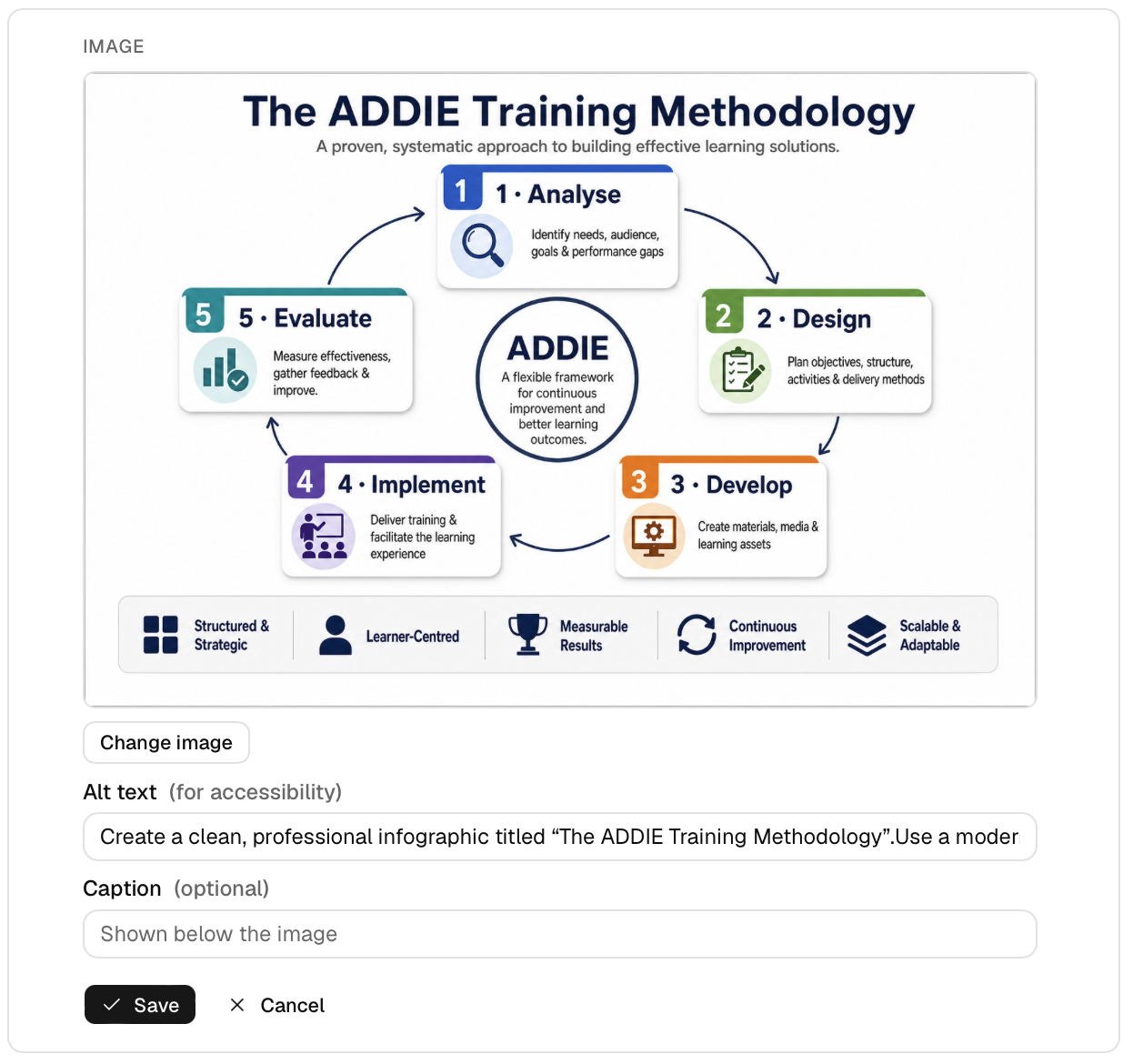
Framework diagrams
Turn a named model or process into a polished, labelled infographic — stages, icons, and flow laid out for you.
Image generation runs on your own AI provider key, so you control the cost and your content stays yours. Generate, regenerate, and only add what you like — every image lands in your media library for reuse.
Rewrite any text, instantly.
Select a text block and let AI improve it — make it clearer, shorter, longer, simpler, or more formal, or just fix the grammar. See the before and after side by side, and keep the original if you prefer it.
- Six one-click presets: improve, shorten, lengthen, simplify, formalise, fix grammar
- Before-and-after comparison before anything changes
- Nothing is saved until you approve it
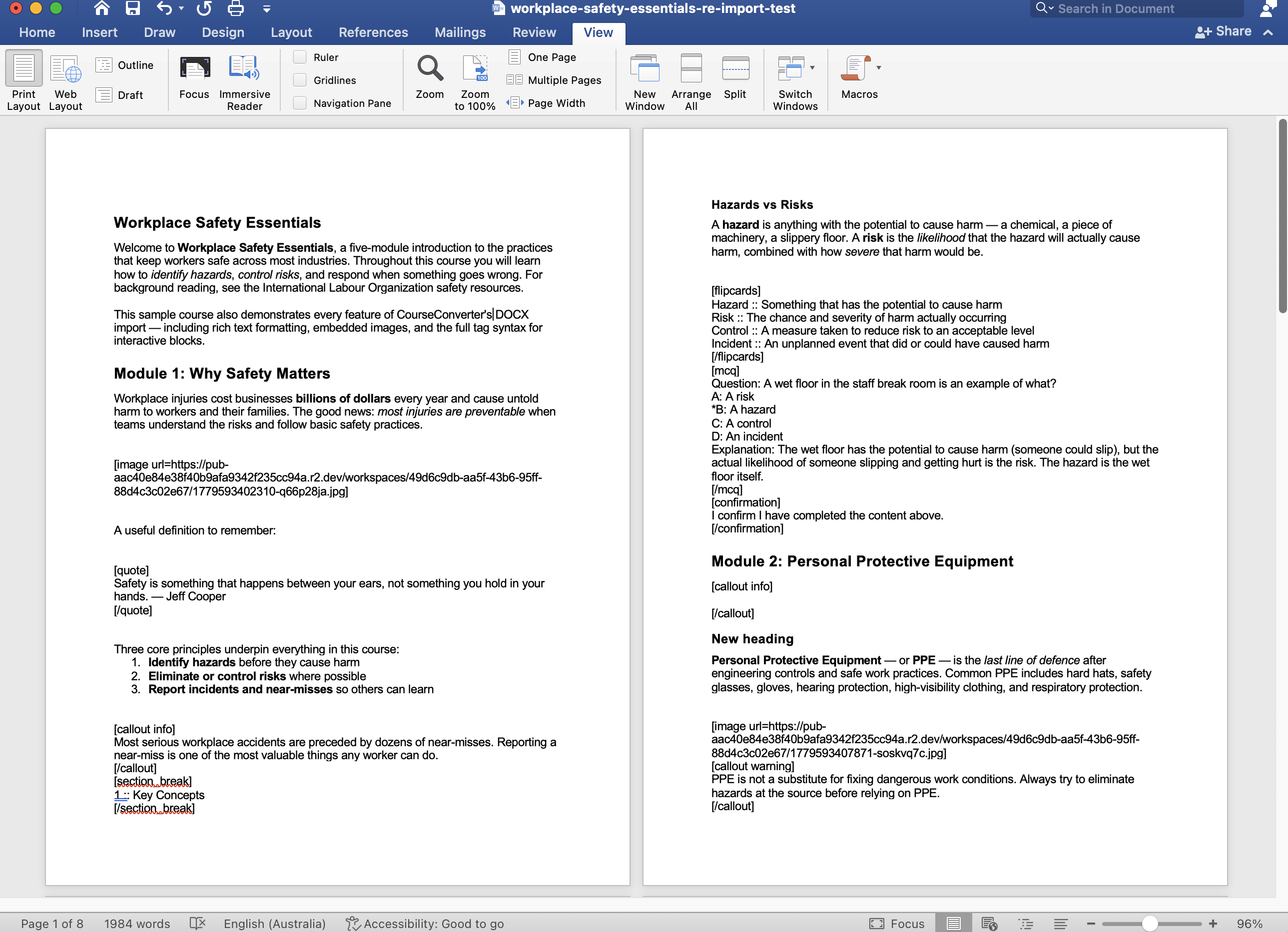
Your course is never locked in.
Export any course back to a Word document — every module, every block, every knowledge check. Edit it offline in Word, hand it to a colleague for review, keep it as a backup, then re-import it as a fresh course when you're ready.
- Round-trip: export to Word, edit anywhere, re-import
- Every block type preserved — quizzes, flipcards, callouts, images, and more
- A true backup of your course you can keep or archive
- Hand off to reviewers who'd rather work in Word
Word export is available on Solo and Pro.
Six documents. One course.
Building the course is only part of the job. You also have to justify the design to a client, hand something to a facilitator, and leave learners with something to take away. CourseConverter generates all of it — from the course you already built.
Storyboard
Walk stakeholders through the design without showing them the course. Every block in a table, images embedded, an empty Notes column, and a comments box per module — they mark it up in Word and send it back. Add an AI design rationale and each module explains why it's built that way.
Course manual
A readable, printable version of the whole course, with a contents page and images. Knowledge checks appear as questions, with the answers collected at the end of each module — a study aid, not a cheat sheet.
Facilitator guide
Suggested timings, learning objectives, key points to cover, discussion prompts for the room, knowledge-check answers, and a notes box on every module. Written from your content — and honest when a module is too thin to facilitate.
PowerPoint deck
Present the course in a classroom. Slides grouped by heading, images embedded, knowledge checks as a question slide then a reveal. Speaker notes carry the timings, talking points, and discussion prompts — so it's a deck you can actually stand up and present.
FAQ
AI writes the questions learners will ask, answered from your content. Download it, or add it to the course as an accordion. It can also answer questions your course doesn't cover — clearly marked, so you can see exactly where your content has gaps.
Resources
A takeaway pack: key points, a glossary of the terms your course defines, the links already in your content, and suggested further reading. Every suggested link is checked before it goes in — dead ones are dropped, not guessed at — plus curated searches so learners can go further themselves.
Storyboard and manual are available on Solo and Pro. The facilitator guide, the FAQ, the resources pack, and the AI design rationale run on your own AI provider key with Pro.
The document you put in front of the client.
Choose how the training will be delivered, add your brief, and CourseConverter writes the strategy: the context, the audience, the approach, a deliverables table, a delivery plan with real day estimates, and how success will be measured against the Kirkpatrick levels.
And it gives you its own recommendation — including when your chosen approach doesn’t suit the content. It will tell you the modules are too thin for a classroom session, or that a formal assessment isn’t warranted, rather than writing you a confident plan that falls apart in the room.
- Pick your modalities — eLearning, classroom, reference materials, assessment
- The artifacts you'll produce become the deliverables table
- A delivery plan with sequencing and day estimates
- Kirkpatrick measurement, grounded in this programme
- Honest risks — including the ones you might not want to raise
Runs on your own AI provider key with Pro.
From a real strategy
“Thin content for ILT: the eight modules average roughly 8–12 content blocks each. That is appropriate for self-paced eLearning but thin for a half-day classroom session.”
“Formal assessment is not warranted by the content: the knowledge checks are module-level recall questions, not a reliable basis for a formal competency assessment.”
A consultant who tells the client what they want to hear is worthless. This one doesn’t.
Everything you need to ship great training
Built for L&D teams, consultants, founders, and anyone who needs to turn knowledge into courses — fast.
AI assistant in the editor
Ask how CourseConverter works and get answers from the help docs, or describe the blocks you want and review them before they're added. Bring your own key. Pro.
Word document import
Import .docx files with rich formatting preserved. Use simple tags to create quizzes, flipcards, and more straight from Word.
Articulate Rise import
Switching from Rise? Import your SCORM export and we'll rebuild it as an editable course — text, images, tabs, accordions, and process blocks converted automatically. Pro.
PowerPoint import
Turn a .pptx deck into a structured course. AI groups your slides into modules and brings in your text, speaker notes, and images — you review before anything's created. Pro.
16 content blocks + 3 layouts
Headings, rich text, images, video, quotes, callouts, accordions, tabs, flipcards, knowledge checks, confirmations, plus row, process, and carousel layout containers.
Knowledge checks & gating
Add multiple-choice questions that lock progression until answered correctly. Perfect for assessments and compliance.
Compliance confirmations
Require learners to tick and confirm they've read and understood — a deliberate, auditable attestation step for policy training.
Your brand, your look
Add your logo, pick a theme, choose fonts and colours. Every course looks like it came from you, not a template.
SCORM, HTML & Word export
One click to a SCORM 1.2 package for your LMS, a standalone HTML bundle for any host, or a Word (.docx) file you can edit offline and re-import. Solo and Pro.
AI course generation
Upload any document and AI builds a complete first-draft course — modules, content, and knowledge checks — that you review, edit, and brand. Bring your own key. Pro.
Create a course from your docs
Paste the URLs of your documentation, help centre, or wiki pages and AI builds a complete course from them — including the screenshots already on those pages. Bring your own key. Pro.
Storyboard, manual, facilitator guide, FAQ & resources
Generate the documents around your course: a storyboard for stakeholder review, a printable manual, a facilitator guide for whoever delivers it, an FAQ, and a takeaway resources pack. Solo and Pro; AI features need Pro.
AI voice narration
Turn any text block into spoken audio with one click. Choose from OpenAI's 9 voices or ElevenLabs' lifelike library — great for accessibility and learners who'd rather listen. Bring your own key. Pro.
Image hotspots
Add clickable markers to any image — learners tap to reveal details. Great for diagrams, equipment, maps, and anatomy. Works in preview and exports.
Matching exercises
Drag-and-drop matching — learners pair items with their matches, with instant scoring and retry. Great for terminology, opposites, and concepts. Works in preview and exports.
Built block by block.
Modules on the left. Blocks on the right. Drag, reorder, edit inline. Every block — from knowledge checks to flipcards to compliance confirmations — works the same way.
No timeline metaphors. No nested layers. Just structured content that exports to a polished course.
- 16 content blocks + 3 layout containers
- Drag-and-drop module and block reordering
- Live preview as you build
- Auto-save on every change
Built for serious creators.
We're a small team that cares about getting things right. No account managers, no sales calls — just a product that works and real humans on support.
Stripe-secured billing
PCI-compliant payments processed by Stripe. We never see your card details. Cancel anytime from your dashboard.
14-day money-back guarantee
Try Solo or Pro for two weeks. If it's not working for you, email and we'll refund — no questions, no friction.
Real human support
Every support ticket is read and replied to personally. No outsourced queue, no AI bots pretending to help.
Watch a full course built in under 2 minutes.
Import a Word document and watch CourseConverter turn it into a finished, interactive course.
Simple, honest pricing
Start free. Upgrade when you need SCORM exports, more courses, or Pro features. Cancel anytime.
Free
Try CourseConverter with 3 courses.
- 3 courses
- HTML export (with watermark)
- DOCX import with rich formatting
- All 16 content blocks + 3 layouts
- Logo branding, themes, fonts
- Pexels + Pixabay image library
- Support knowledge base
Solo
For individuals shipping real courses.
- 25 courses
- HTML + SCORM 1.2 exports
- DOCX import with rich formatting
- All 16 content blocks + 3 layouts
- Word (.docx) export — edit offline & re-import
- Storyboard & course manual exports
- No watermark
- Logo branding, themes, fonts
- Pexels + Pixabay image library
- Support knowledge base
Pro
For teams and power users.
- 100 courses
- HTML + SCORM 1.2 exports
- DOCX import with rich formatting
- All 16 content blocks + 3 layouts
- Word (.docx) export — edit offline & re-import
- Import from Articulate Rise (SCORM)
- Import from PowerPoint with AI
- No watermark
- Logo branding, themes, fonts
- Pexels + Pixabay image library
- 15+ reusable course templates
- AI course generation from document
- AI course generation from web page URLs
- AI block generation (bring your own key)
- AI image generation (illustrations, photos, diagrams)
- AI text-to-speech narration (OpenAI + ElevenLabs voices, bring your own key)
- AI knowledge-check generation
- AI text rewrite & structured sections
- AI assistant in the editor (ask questions, draft blocks)
- AI course audit
- AI FAQ generator
- AI resources document (verified links & glossary)
- AI training strategy for client sign-off
- Storyboard, manual & facilitator guide exports
- PowerPoint deck export (with AI speaker notes)
- Early access to new AI features
- Support knowledge base
- Priority email support
Annual billing saves ~17%. 14-day money-back guarantee. Secure checkout by Stripe.
We're shipping fast.
A glimpse at what's coming soon. Pro members get early access as features ship.
AI Assistant
LiveAsk questions about CourseConverter and get answers from the help documentation, or describe the blocks you want and review them before they're added. Runs on your own AI provider key. Pro.
More bring-your-own-key AI features
LiveAI block generation, image generation, text rewrite, and structured sections, full course generation from a document, and an AI course audit — all powered by your own AI provider key — have all shipped for Pro.
AI course audit
LiveAn instructional-design review of your course — AI flags text-heavy modules, missing knowledge checks, reading level, and more, so you can build courses people actually finish.
Drag-and-drop matching block
LiveInteractive matching exercises where learners pair items by dragging, with instant scoring and retry. Great for terminology, opposites, and concepts. Works in preview and SCORM/HTML exports.
Image hotspot block
LiveMark interactive areas on an image — learners click to reveal information. Ideal for diagrams, equipment, maps, or anatomy. Works in preview and SCORM/HTML exports.
Create a course from web page URLs
LivePaste up to 10 documentation, help-centre, or wiki URLs and AI reads them and builds a structured course — pulling in the screenshots from those pages automatically.
Generate a course from a topic
Give CourseConverter a topic and it drafts a complete first-draft course — modules, content, and knowledge checks — that you refine and brand. (Creating a course from a document is already live.)
Build your next course today.
Start free with 3 courses. No credit card required. Ship in hours, not weeks.